Minimum Version Required: 25.12
Pre-Conditions
Setup must be completed for alternate locations. Click here for help on alternate locations setup.
Steps
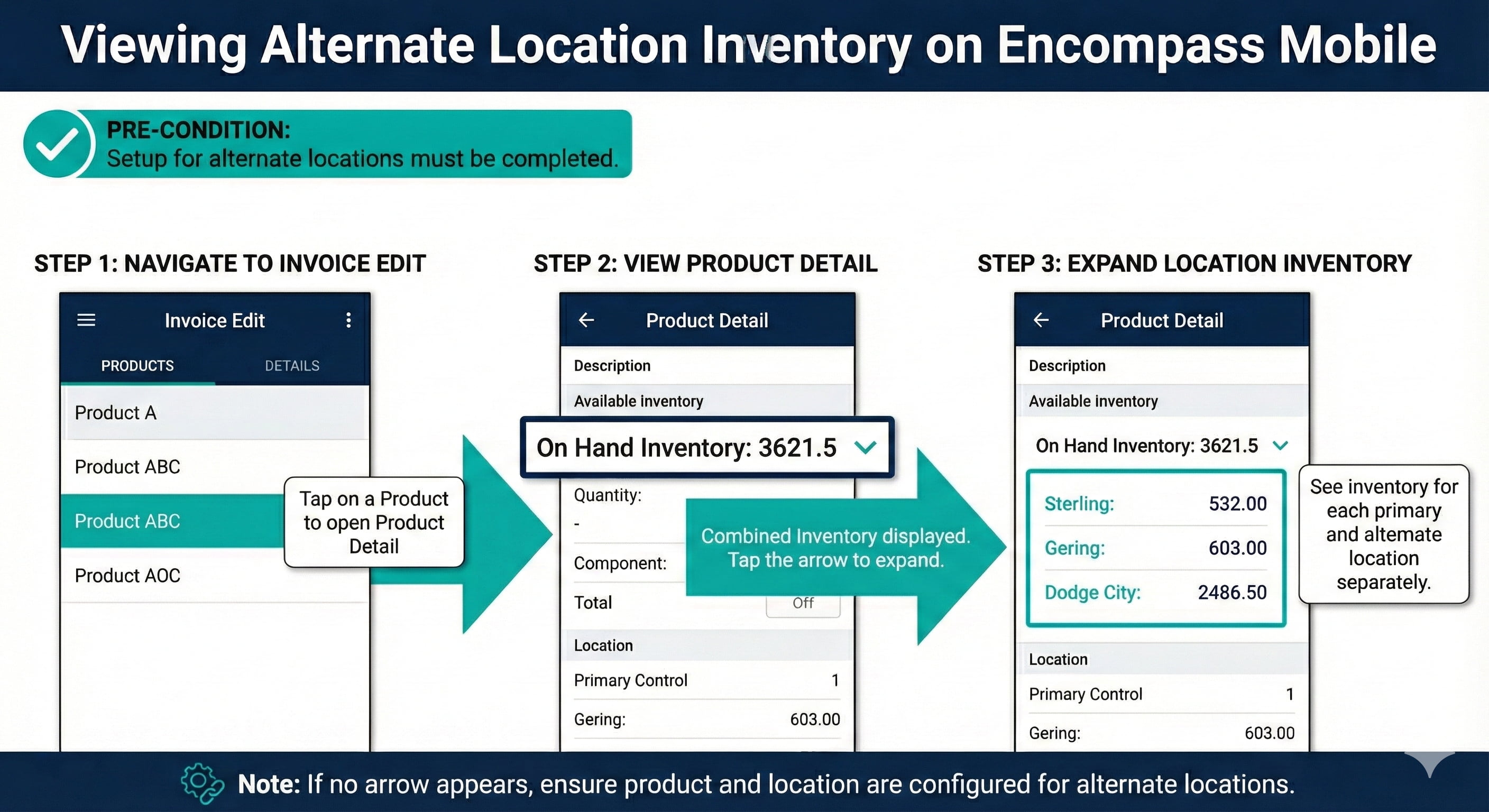
When entering an invoice on Encompass Mobile, the available inventory will be the combined inventory available for alternate locations as well as the primary location. The inventory available can also be seen by clicking on the on hand inventory value within the product detail.
Navigate to the Invoice Edit page
Tap on a Product to open the Product Detail screen
If the product is configured to use Alternate Locations, there will be a down arrow next to the On Hand Inventory value
Click the down arrow to see the on hand inventory for each location
