Minimum Version Required: 22.01
Pre-Conditions
Ensure the necessary Routes and Stops are created in Encompass beforehand.
Steps
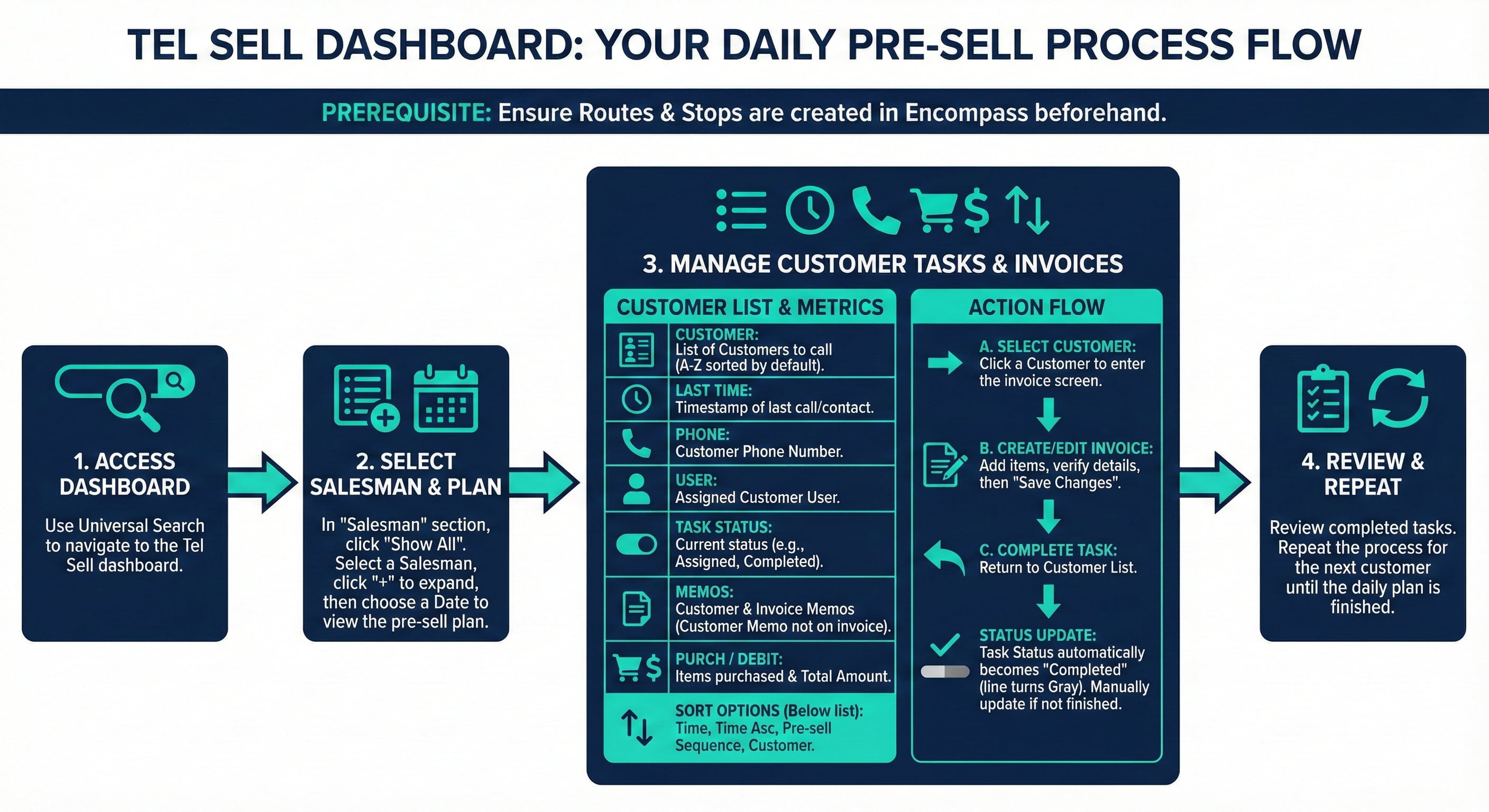
How to use the Tel Sell dashboard
Using Universal Search, navigate to the Tel Sell dashboard.
In the Salesman section, click the Show All link.
Select a Salesman and click the "+" icon to expand.
Select a date for when to presell and click the arrow to view.
Customer: List of Customers to call
Last Time: Shows the time stamp when the customer was last called or contacted
Phone: Phone number of the customer
User: Assigned Customer User
Task Status: Status of the task
Customer Memo: A memo belongs to a customer that will not show on invoices
Invoice Memo: Memo for an invoice if the invoice exists
Purch: Numbers of items purchased
Debit: Total amount
Select a Customer to add an invoice.
Edit the Invoice and click Save Changes when ready.
Click the Customer List button.
Select Completed from the Task Status picklist.
The task status will automatically be Completed and the background of the line will turn gray. Manually change this status to another value if not yet done with the order.
Time: Will show the list from newest to oldest
Time Asc: Will show the list from oldest to newest
Pre-sell Sequence: Will display the list per the sequence on the sales Stops
Customer: Will show a list of customers in alphabetical order
