Minimum Version Required: 22.01
Pre-Conditions
In order to add a Recipe Stage, the Recipe Version will need to be created first.
Steps
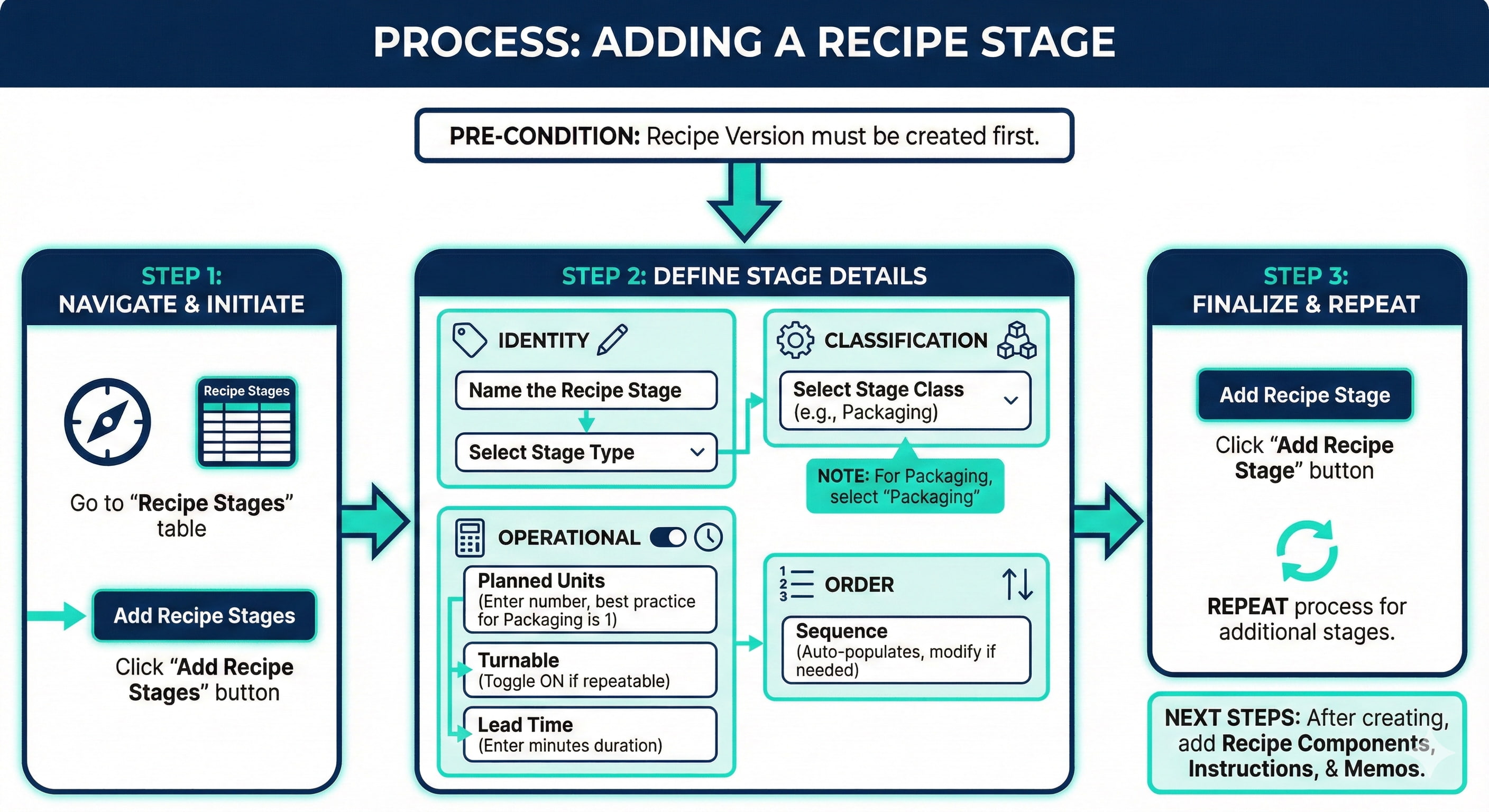
Creating the Recipe Stages
Navigate to the Recipe Stages table.
Click the Add Recipe Stages button.
Name the Recipe Stage.
Select the Stage Type.
Select the Stage Class (For Packaging Recipe Stages, make sure to select Packaging).
Enter the number of units that should be produced in this stage, in the Planned Units field. For Packaging, the best practice is to set this to 1.
If this stage may be completed more than once during the batch process, make sure to toggle the Turnable field to ON.
In the Lead Time field, enter the duration of time, in minutes that it is expected to take to complete this stage.
The Sequence field will automatically populate. You can modify this field, if necessary to represent the order, relevant to the other stages, that this stage should be in.
Click the Add Recipe Stage button.
NOTE: You may need to create multiple Recipe Stages in your Recipe Version. Follow the same steps as above for additional Recipe Stages. Once you've created the Recipe Stage, you may need to add Recipe Components, Instructions, and Memos to the Recipe Stage.